At an event, tradeshow, or conference, understanding your key metrics is essential when analyzing user behavior, and providing insights into what your users are doing with your event’s app. This data will help you better understand what solutions or services most interest your attendees. You will then be able to answer important questions such as:
- Which educational or keynote sessions are they planning to attend?
- What content do they download?
- What speakers do they like?
- What information do they share?
You can also find out what advertisements appeal to users so you can share revenue-generating statistics with your advertisers. Armed with this wealth of information, you can then tailor the offerings available on the app and design future events around the needs and interests of your attendees.
Full-service event app providers can customize your app to ensure you measure the metrics that matter. There are certain metrics you should track to measure your networking strategy and quantify your event's success or adjust your approach for a future event.
Which Metrics Matter?
When it comes to analyzing the data to determine the success of your mobile event app, there are several key metrics that you want to measure. If you understand how your attendees are using your event app, you’ll gain valuable insight into the flow of the event, which aspects were the most (and least) popular, and develop strategies to improve your event the following year.
Key Questions to Consider
- Did attendees download and use my event app?
- Was my event app engaging?
- Did my event app increase interactions between attendees?
- How much revenue did my app generate?
- How can I improve my app for the future?
Adoption Rate
One of the key metrics that matter when measuring the overall effectiveness of your mobile event app is app installs or the adoption rate of your app. Increasing attendee adoption or downloads of your native event app will encourage more engagement with your mobile event app, which leads to more event interactions such as likes, clicks, and shares.
With nearly every event or tradeshow attendee owning a mobile device, mobile event apps have become as expected at events as bags of swag. The event industry’s overall event app adoption rate is 63%, but an easy way to calculate the adoption rate of your mobile event app is to divide the number of people who downloaded your app by the total number of attendees at the event.
App downloads ÷ Total attendees = App adoption rate
The adoption rate of your app answers the question, “Did my attendees use it?”, but that may also be a reflection of how well you marketed your event app. As a general rule of thumb, you want attendees to download the app at least two weeks before your event. Simply downloading it and logging in once isn’t enough though; you want users to actually engage with the app.
Engagement
Driving engagement at an event is the ultimate goal of a mobile event app. From the moment an app is downloaded and activated on a user’s mobile device, engaging the user should be top of mind. Here are some key activities that you should be encouraging:
- Creating a personal profile (which helps inform matchmaking & recommendations)
- Attendee networking activities, such as scheduling one-on-one meetings and sending private messages
- Looking up exhibitor and session information
- Building their own personal agenda
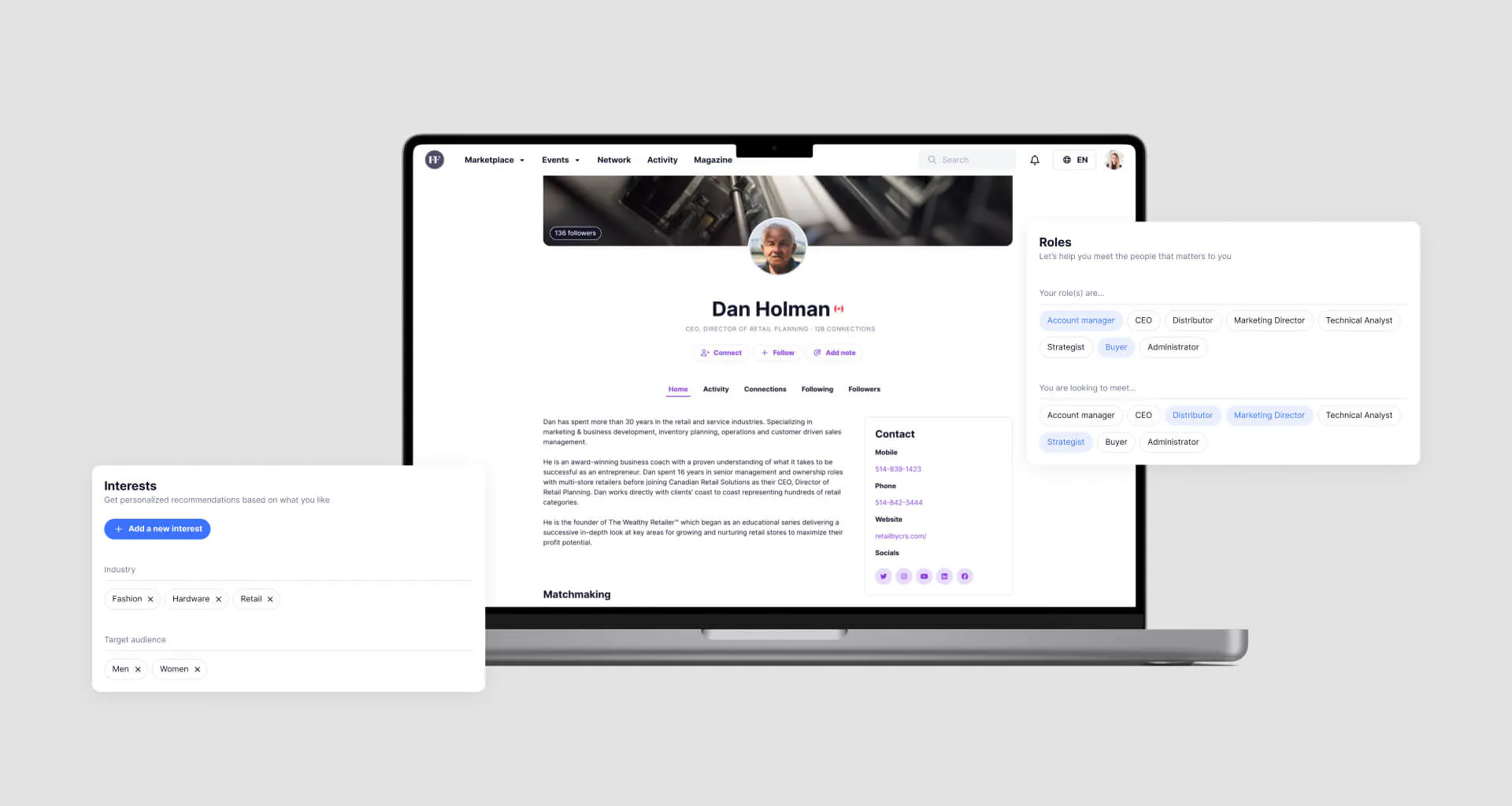
Attendees who interact with each other and exhibitors are actively engaged, making this important activity to track. Make sure your event app tracks many forms of engagement, such as the number of poll responses by speaker. This will help you understand which sessions are most popular.
Depending on which mobile event app you choose, the goal of your event is to create engaged or highly engaged attendees. Over 80% of marketing professionals ranked event engagement as an important KPI for determining the success of an event.
Engagement Metrics to Track
- Sessions attended
- Duration of session attendance
- Meetings booked
- Meetings attended
- Poll participation
- Chat participation
- Gamification participation
- Survey participation
- Connections
- Social shares
Regardless of what data sets or event metrics you track, narrowing down what attendees liked and didn’t like during the event is key to refining your event or offerings and increase future event registration and revenue.
Social Media
Social media is a very powerful tool. According to a July 2022 report, users spend an average of 2 hours and 29 minutes on social media daily, so it’s no surprise that mobile event app providers have incorporated this activity at events. Activity feeds (social walls or feeds) allow attendees to post comments and pictures during your event. An event app’s activity feed works like other social media apps, allowing attendees to like, comment, and follow interesting content. It also lets users engage with each other, exhibitors and vendors, and event activities.
Social media interactions, like engagement metrics, measure attendee engagement and are a good bellwether of a successful event. Engaged attendees will check in, share, comment, like, add to favorites, click on links, shortlist, and more. These in-app interactions are similar to an audience’s applause – engaged users indicate that they value the content.
Advertising
Your mobile app should have a strong monetization strategy by offering ad units to exhibitors such as banner ads, featured listings, sponsored push notifications, and more. It will then of course be important to measure key metrics in this area as well. This will help your advertisers understand the ROI of their advertising strategy.

Key metrics to track here include impressions, clicks, and conversions. Tracking codes help measure how much revenue an advertisement generated. For example, if an advertiser spent $1,000 for a banner ad on your event’s mobile app and was able to use tracking codes to prove that they generated $5,000 in sales from that particular banner ad, they will then know that they had an ROI of 5:1 and will be highly likely to buy more advertising space from you in the future.
Feedback
Feedback is one of the most valuable means of measuring your event's success, both during and after an event. There is no shortage of feedback opportunities at in-person events. There are solicited feedback options such as surveys and ratings on the event itself, the content, speaker sessions, the usability of the event app, and unsolicited feedback like social media posts. Some events use a Net Promoter Score (NPS) survey by asking attendees if they would recommend the event to a colleague. Regardless of what feedback you solicit and receive, it’s essential to act upon it. If the usability of your event app rates poorly, you may want to consider using a full-service event app provider to create a custom mobile event app in the future.
Measure the Success of your Event with Backpack
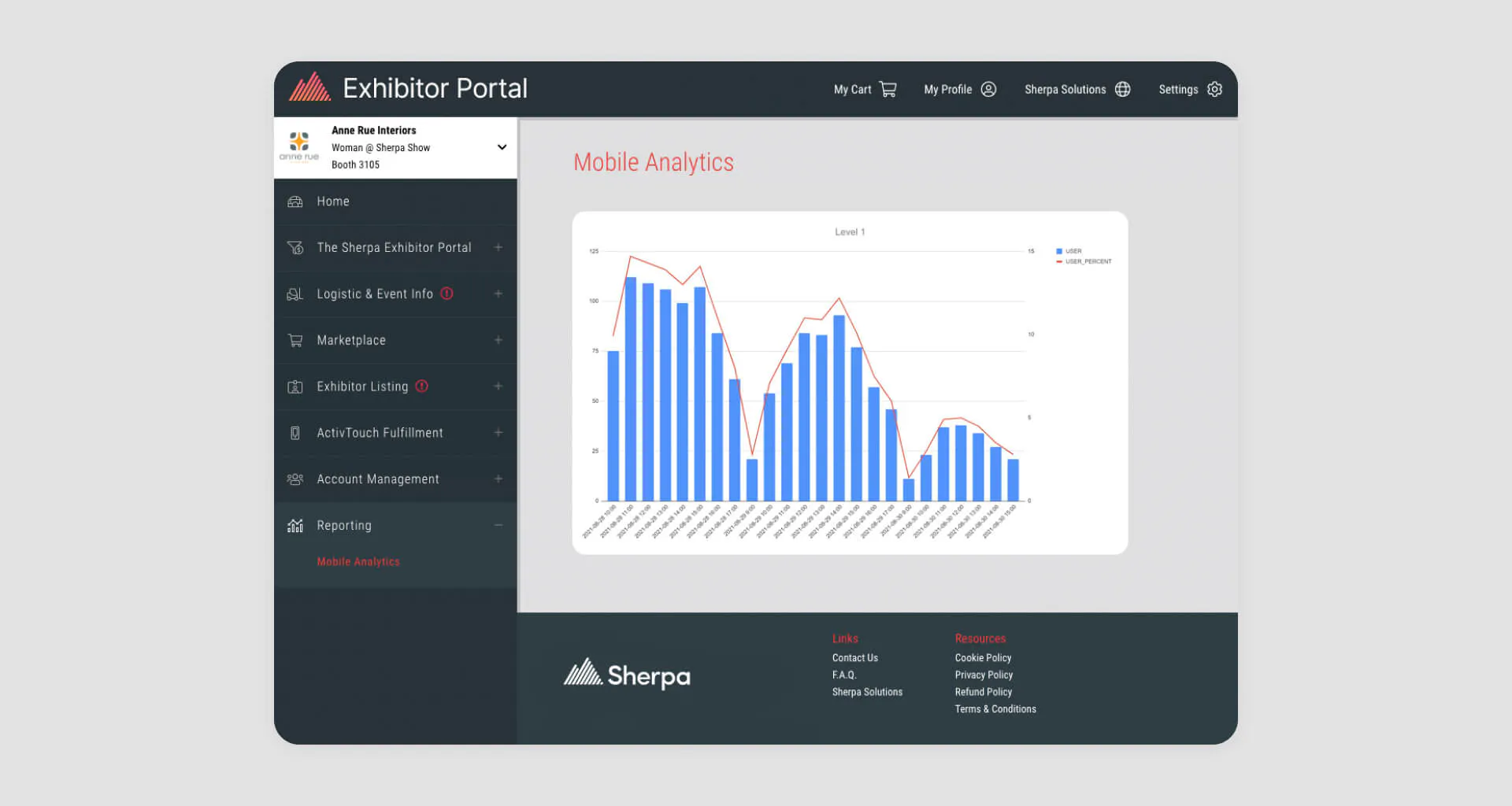
While it’s important to measure the success of your event, it’s equally important to measure these metrics year over year consistently. Through Sherpa’s Backpack, event organizers can access Sherpa Analytics which includes hundreds of data points. The data is organized into an easy-to-use dashboard, an audience overview, an overview of available content, and a reporting tool that lets you download dozens of detailed reports about your event. Some of the metrics you can analyze in Backpack include:
Visitors over time: A visitor is an individual who has accessed the mobile app and is determined by a unique identifier created when installing the app.
Engaged & highly-engaged visitors: Engaged and highly-engaged visitors are defined using the page views metrics and the number of in-app actions performed by each visitor.
Page views: A page view represents a single application page displayed to an authenticated visitor or user. Page views per platform are also tracked.
Content: Track the number of page views and interactions for different types of content such as sessions, speakers, exhibitors, products, and more.
Actions: Get data on in-app actions by visitors, like adding an event, session, or exhibitor, making an appointment or callback request, clicking on a banner, liking content or comments, checking in, and more.
Advertising: Track banner ads or impressions displayed to users, clicks, and click-through rates.
Contact us to discover how Sherpa’s custom mobile event app, paired with our revolutionary analytics suite, can help you reach new heights at your next event and give you a deeper understanding of your audience.